Fake Location sets a simulated GPS position on your own device. Pick a spot on the map, press start, and the apps on your phone read that position instead of your real one — no root, no complicated setup.

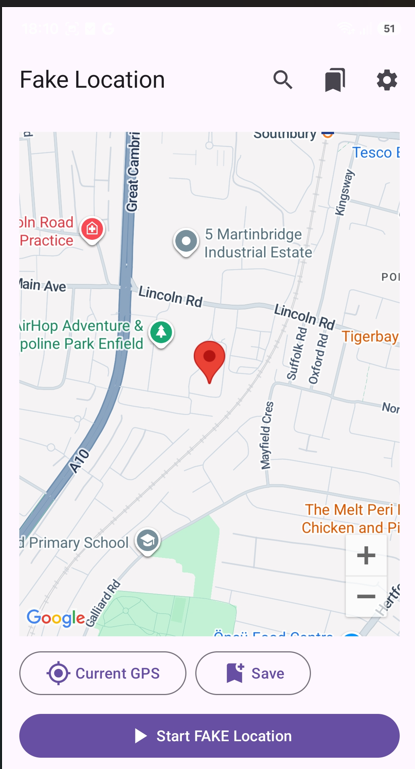
The whole app is one screen. Move the map, tap where you want to be, and the pin lands there. When you press ▶ Start FAKE Location, Android starts reporting those coordinates to the apps on your phone, and an ongoing notification reminds you it is running.
Need to get back to reality? Current GPS snaps the map to where you actually are, and stopping the simulation is the same single button.
Three in the top bar, three at the bottom. That is the entire interface.
Type an address, a city or a place name and the map jumps straight to it — no scrolling across the globe.
Your bookmarked locations in one list. Tap one and the pin is there instantly — ideal for the handful of spots you use again and again.
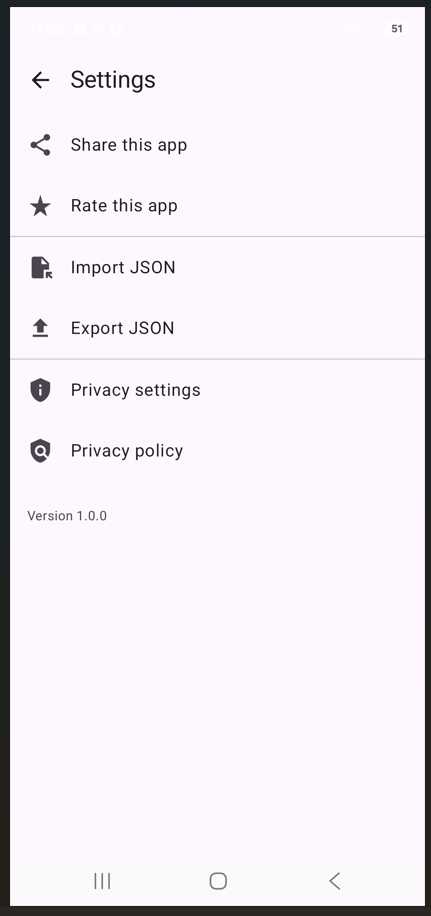
Import and export your places as JSON, open the privacy settings and the privacy policy, share or rate the app.
Centres the map on your real position — a quick way to start from where you are, or to check what the device actually sees.
Stores the pin you are on as a named place, so it joins your saved list and is one tap away next time.
Turns the simulation on. A foreground service keeps it alive with a permanent notification, and the same button stops it.

Export JSON writes every saved place into a plain text file you can keep, back up or move to another phone. Import JSON reads it back. No account, no cloud, no sync server in the middle — the file goes wherever you put it.
The same screen holds Privacy settings, where you can change or withdraw your advertising consent at any time, and a direct link to the privacy policy.
Android will not let any app report a simulated position until you pick it yourself under Developer options. It is a one-time setup and it takes about a minute.

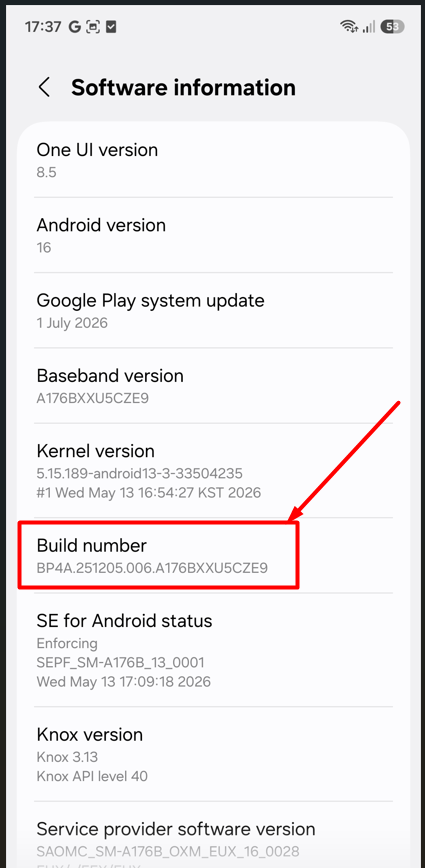
Open Settings → About phone → Software information and tap Build number seven times. Your device will ask for your PIN and then tell you that developer mode is on.

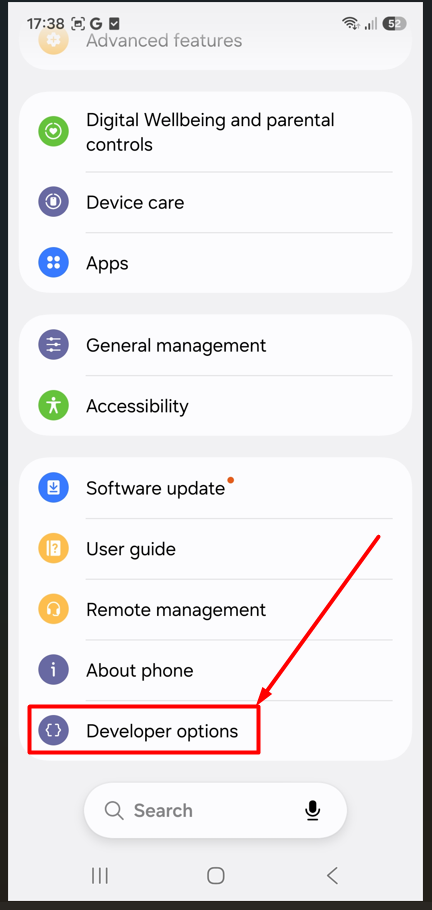
Go back to the main Settings list. A new Developer options entry now sits at the bottom, usually right under About phone.

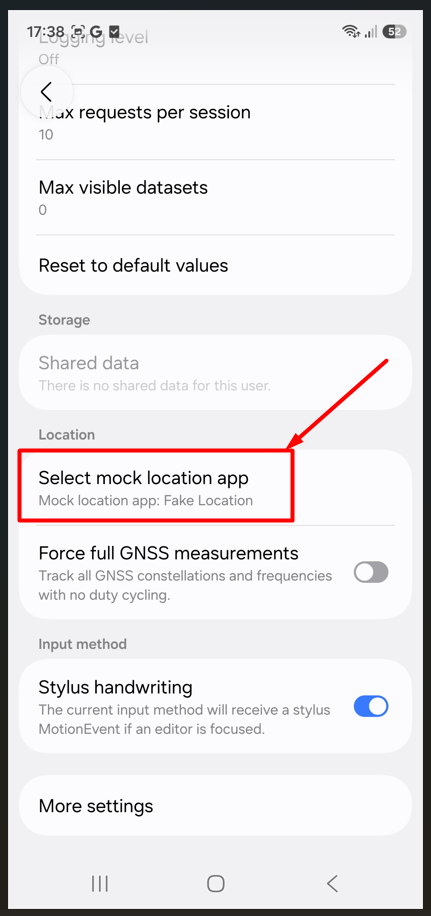
Inside Developer options scroll to Location → Select mock location app and choose Fake Location. That is it — the app can now simulate a position.
Fake Location 1.0.0 is on its way to Google Play. Until then, the full feature list is right above.
Coming soon on Google Play